The workout description in Slek has just had a serious vitamin injection 🚀. Here is everything it can now do.
This new feature lets you:
-
Create guided workouts (interval sessions and the rest) sent to your athlete’s watch, and do it very quickly
-
Embed YouTube videos directly in the workout description
-
Apply basic formatting
Two tabs in the workout description
The workout description now has two tabs:
-
an editing tab, which you already know, and
-
a preview tab, which is the new arrival
In the editing tab you carry on describing your workouts as before, except that what you write is now transformed to handle formatting, guided workouts and videos, all of which show up in the preview tab.
Note: everywhere the description cannot be edited, and in particular when your athlete is looking at it, the preview tab is shown by default.
How do I embed a video in my workouts?
Embedding a video explanation in your workout description could hardly be simpler. There are two steps:
- paste a link to a YouTube video and
- er, that is it, there is only one step really. Not exactly complicated, is it?
As soon as you switch to preview mode, your video is embedded in the description. To see it better, your athlete can go full screen without leaving Slek.
You can even embed several explanatory videos in one workout.
The two screenshots below show a strength and conditioning workout, first in the editing tab and then in preview.
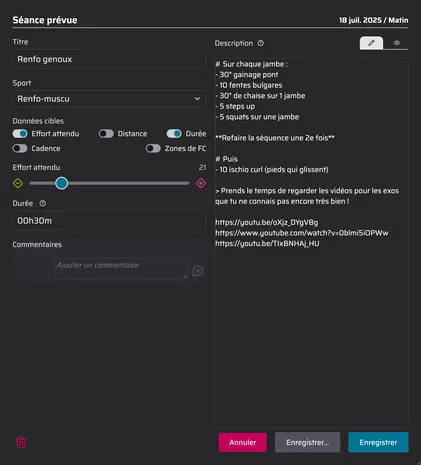
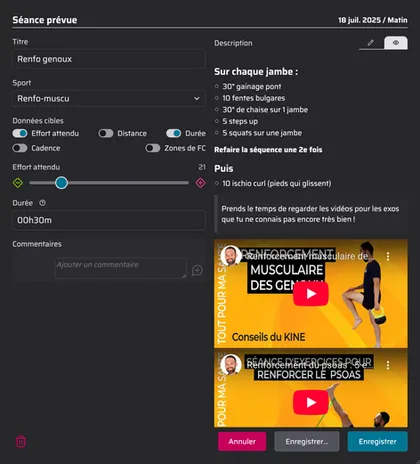
Note: you can embed unlisted YouTube videos if you would rather they did not appear publicly.
How do I define a guided workout (a structured workout)?
Here again the idea is to keep it as simple as possible so that you save time, because coaches usually find the complex-editor approach far too tedious to use.
To define an interval session that will be sent to your athlete’s watch, all you do is write one or more expressions in double brackets in the description.
Examples:
-
((2x 10x 30/30 R2)) ➡︎ 2 sets of 10 times 30″ / 30″ with 2′ recovery between sets
-
((2x 1 2 3 2 1 r/2 R2))
➡︎ 2 pyramids of 1′ 2′ 3′ 2′ 1′ with half the effort’s duration as recovery after each one, and 2′ recovery between sets
The rules for these expressions really are simple, and while you are learning them they are explained in a detailed tooltip next to the description.
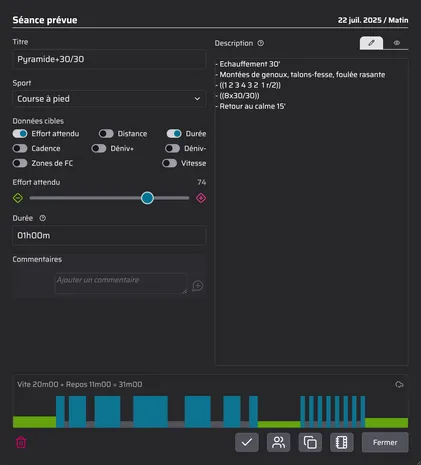
And if you get one wrong? Error messages are there to help, and a preview chart of the workout below updates instantly.
The two screenshots below show an interval session, first in the editing tab and then in preview.

A few remarks
With this very simple expression syntax, Slek does not let you set targets (speed, power and so on). That is a deliberate choice:
-
because the measurements are sometimes imprecise (or lagging),
-
to encourage the athlete to concentrate on how the effort feels, and above all
-
to keep it simple for you to create this kind of workout: better something simple that gets used often.
The athlete therefore has to remember the objectives (speed, power and so on) for each effort and apply them without their watch telling them “faster” or “slower”. Is that really something to complain about?
Polar, unfortunately, does not support this kind of guided workout. Sorry, that one is out of Slek’s hands.
Formatting
Finally, the description supports basic formatting: headings, bold, italics, numbered and bulleted lists.
To make a bulleted list, for instance, you just put a dash at the start of the line. I would bet some of your workouts already had dashes at the start of a line and will turn into bulleted lists without you lifting a finger.
Slek went for two tabs (editing and preview) rather than offering a WYSIWYG editor, where what you type and what you see are in the same place, as in Word.
Again, that choice was about not wasting your time, making video embedding dead simple, and keeping copy and paste easy.
Slek follows the Markdown standard, with a few additions for guided workouts and YouTube videos.
More articles you might like
Release notes: July 2026
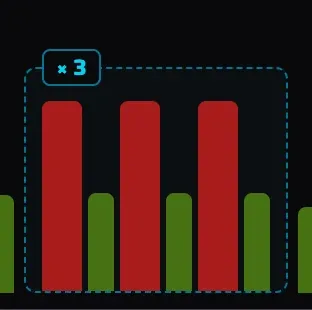
It has been busy at Slek since June, with two new features that change quite a lot: training squads and a graphical builder for guided workouts. Until now Slek offered individual coaching: one coach, one athlete, complete monitoring. That is perfect for personal support, but far too much for a club that simply wants to send Tuesday night's workout to its members […]
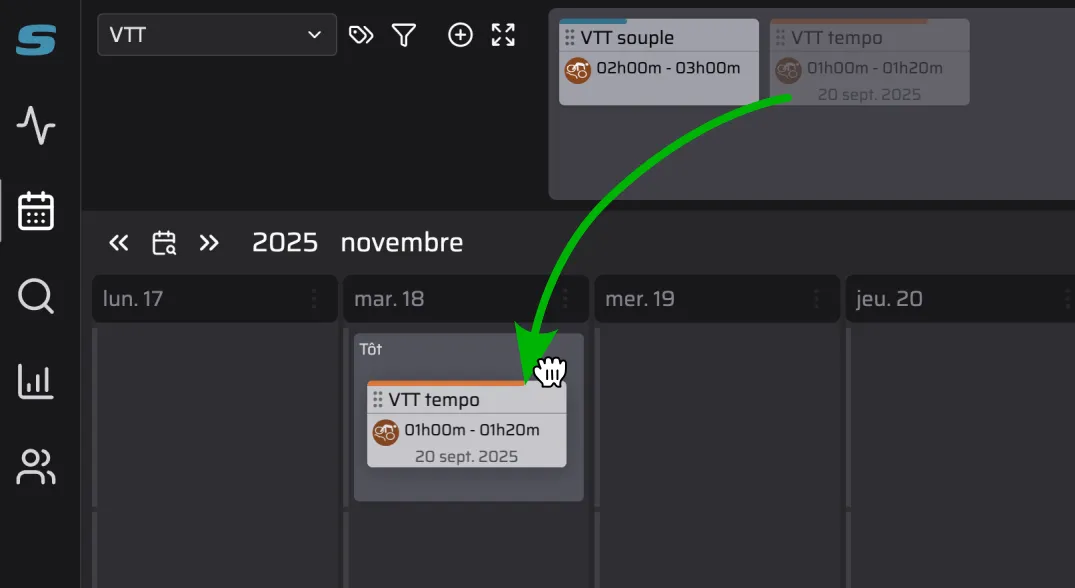
A workout library for coaches
Coaching athletes? Slek now lets you build yourself a library of training workouts.
Release notes: June 2026
The last few weeks have been (very) busy at Slek. We are not going to write an article for every change, but here is the round-up of things not to miss since the April notes. And we may as well warn you now: there is one big announcement. 🎉 On the programme: two-way calendar sync with Google, Apple or Outlook, and more […]