Slek is the very first coaching app for endurance sports in which an AI assists coaches in their work.
⚠️ Let us be clear from the outset: if you are an athlete, this AI will not replace your coach. It is there to help them, and nothing more.
Here is how it works. And if you do not have a Slek account yet, go and create one at slek.app.
The assistant is not a coach ❌
There are apps where the coaching is handled entirely by an algorithm or an AI. It is a fine technical feat, but at Slek we do not believe those solutions compete with a real coach.
First, because AI very often lacks critical judgement. Have you noticed the “Excellent idea!” and “You’re absolutely right” that AIs come back with as soon as you push back a little? AIs are sorely short of critical judgement, and in general you should avoid relying on them to judge anything. Which is fine, because that is exactly what you can trust your coach for 😉
Second, because your coach knows your history, your circumstances, and your biases when you report back on a workout. And when you miss a workout because you were not motivated, an AI will adapt where a coach will ask questions. No artificial intelligence can compete with a good human relationship.
What a coach does do, though, is lose a lot of time: building template weeks, moving workouts, adjusting a plan after an injury. That is a great many clicks and a great deal of typing, even though we try to make it as smooth as possible in Slek.
That is exactly where the Slek assistant comes in. It takes on the repetitive, time-consuming tasks so that your coach can concentrate on what really counts: supporting you, analysing and deciding.
The assistant handles a coach’s repetitive tasks ✅
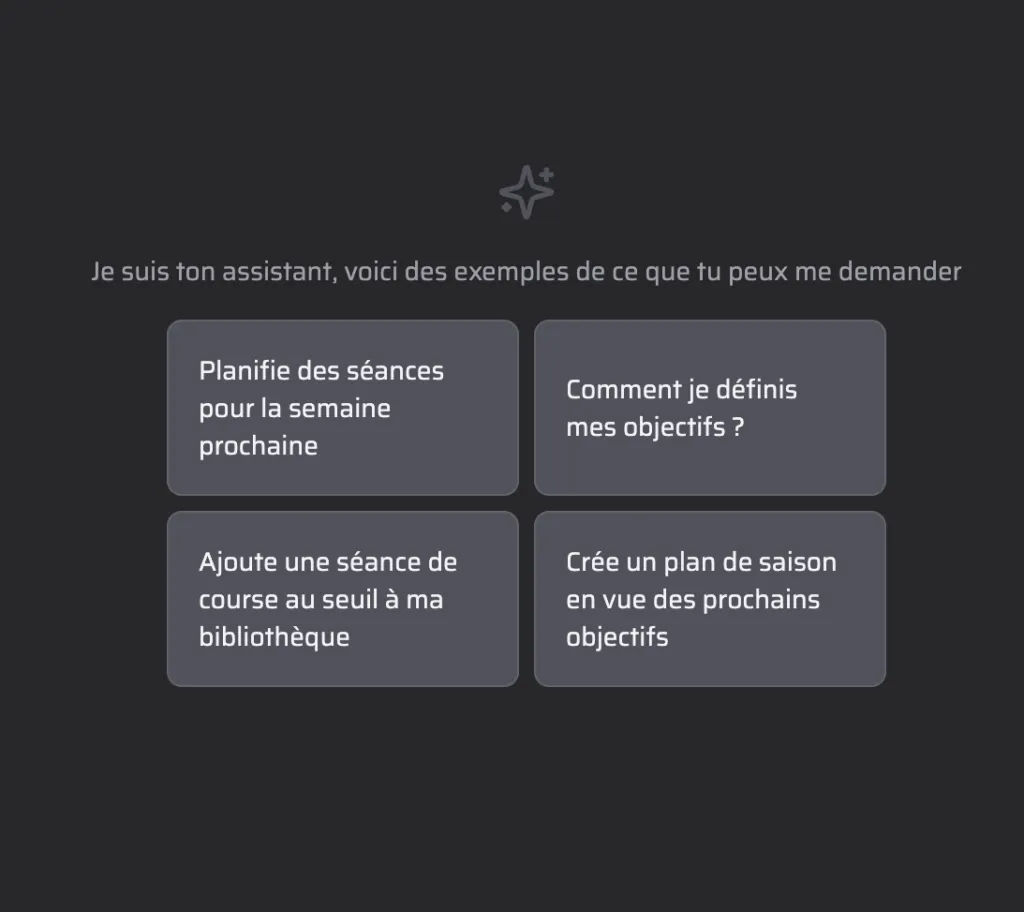
The assistant is built directly into Slek. You talk to it in plain language and it acts on your calendar or your athletes’ calendars, your workout library, your seasons and your races. In practice you can ask it things like:
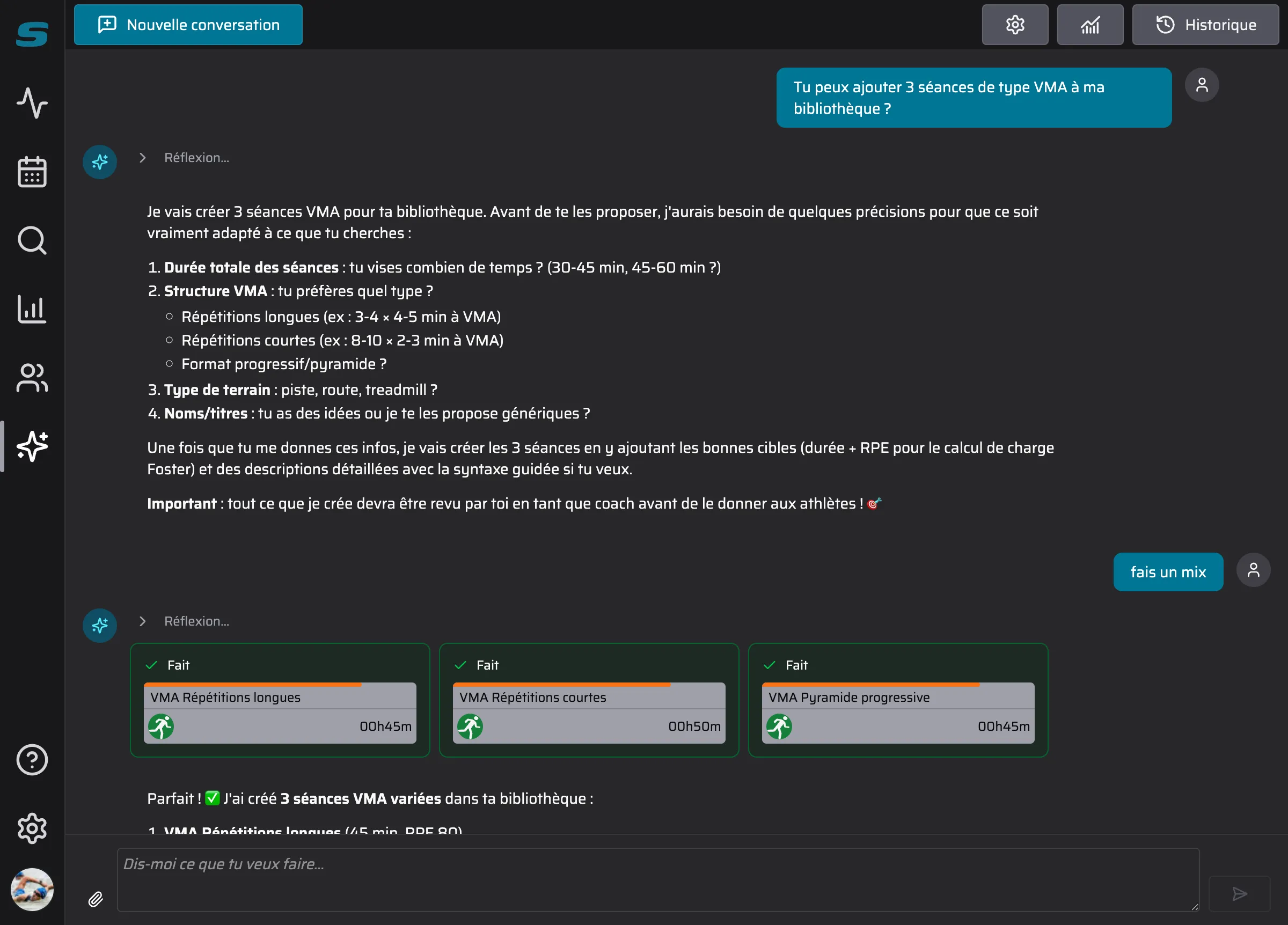
- Create workouts: “Create an easy 3-hour bike ride for Saturday afternoon” and it puts the workout on the athlete’s calendar for you to fill out. “Add 3 varied VO2max speed workouts to my library” and, after a few questions, there are your workouts, ready to adapt or to use as they are.
- Plan a season: it can look at the goals and the planned races and propose a coherent progression week by week, which you then only have to refine or correct.
- Manage events: “Add the Paris Marathon as a priority goal on 12 April” and it creates the event with the right priority.
- Work from documents: you can attach a PDF, an Excel file or a Word file (a training plan, a race calendar) and ask it to bring the content in, provided the document is clear enough.
The assistant has read the Slek documentation for you 👨🎓
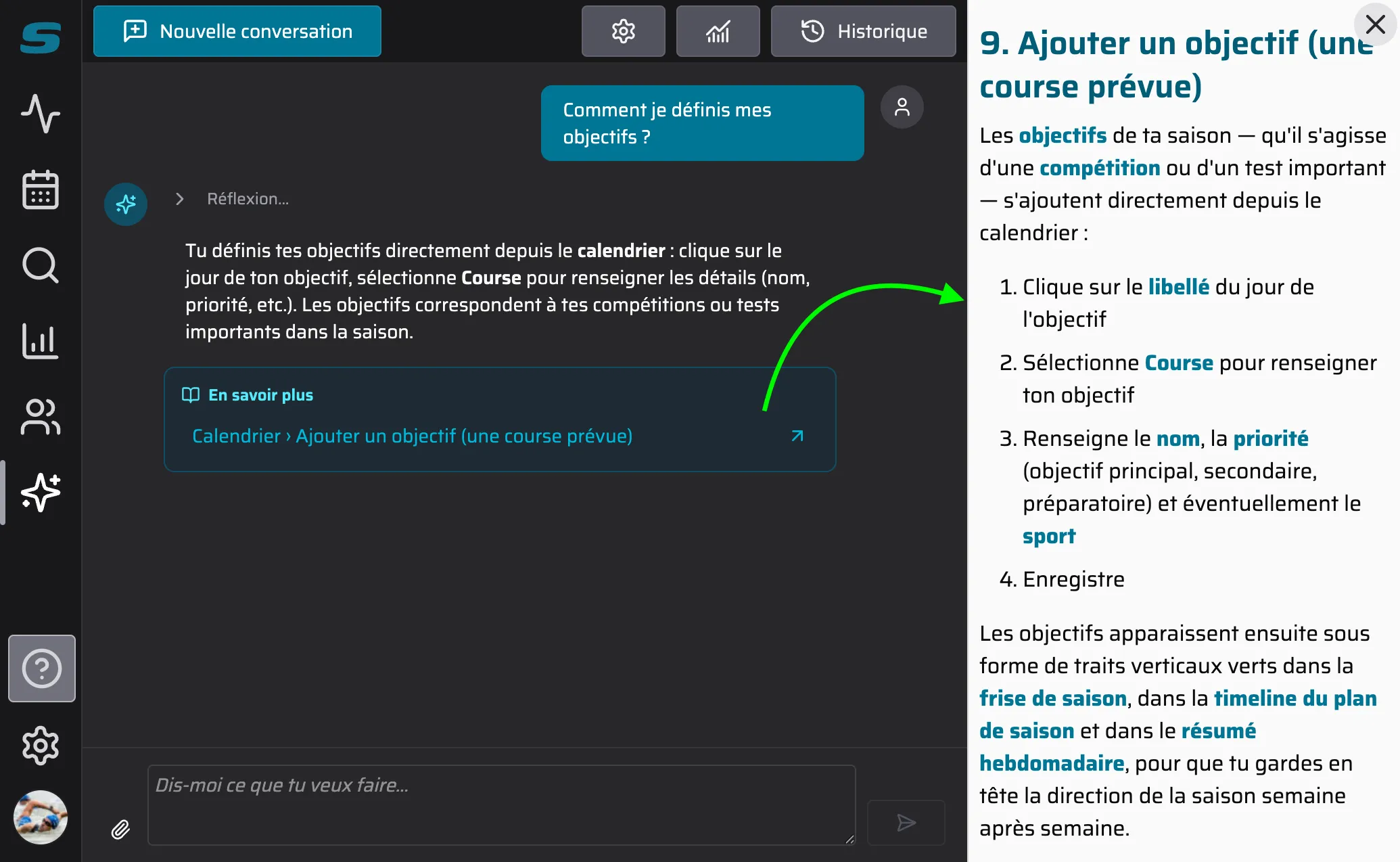
Coach or athlete, you can also have the assistant search the online help for you. Ask it questions about using Slek itself: “How do I set up a season plan?” or “How do I define my goals?”
FAQ
Am I not going to “lose control” of my coaching?
When the assistant is about to create, modify or delete something, it first shows you a summary of the action. You confirm or you cancel: nothing happens behind your back. Deletions are marked in red to avoid mistakes.
On top of that, the workouts it adds are always in “draft” mode, so you only have to publish them once you have checked them.
Do I get to choose which AI the Slek assistant uses?
You pick the AI engine that suits you. We have selected capable models for you, and ruled out certain models that did not offer enough guarantees about your personal data not being used. There are fairly cheap models for simple tasks and very capable ones for complex requests. Each model has a different cost and responds at a different speed, so choose the one that suits you, but it is worth trying a few to see the difference.
What happens to my data in Slek?
In Slek your data belongs to you alone. It is used for your training or your athletes’ training, not for training an AI.
When you ask the assistant a question, the AI model reaches into a toolbox that Slek offers it in order to read or modify your data. That is the moment your data is sent to the AI model, and only in order to generate the answer.
The AI providers are chosen carefully and configured to store nothing for more than 30 days and not to train on your data.
Finally, your conversations with the assistant are stored by Slek for a maximum of 15 days so that you can find them again. Each one can be deleted whenever you want.
As a coach, what does it give me?
Slek exists to save you time and take part of your mental load away, without giving up any of the precision of your analysis.
The assistant lines up perfectly with that aim: if Slek and its assistant save you 4 minutes on planning for each athlete you coach, and you coach 30 athletes, that is 2 hours a week. What you do with it is up to you: follow your athletes more closely, take on athletes you had to turn away until now, or go out for a bike ride.
How do I turn it on?
- Go to the app settings, in the “Assistant” section, then
- Choose a model: you could start with Claude, in its economical quality with thinking enabled, which is already impressive. Or try Mistral, which is made in France. Either way it is worth testing a few options to see which suits you best.
- Review and accept the privacy policy specific to the provider you chose
- Top up the account (€5 minimum, valid for a year)
- The assistant is on, and a new icon appears in the navigation menu to start the conversation
Pricing
The assistant is available to all Premium subscribers. There are two ways to use it.
Directly in Slek, pay as you go, prepaid
This is the simplest, safest and most integrated option.
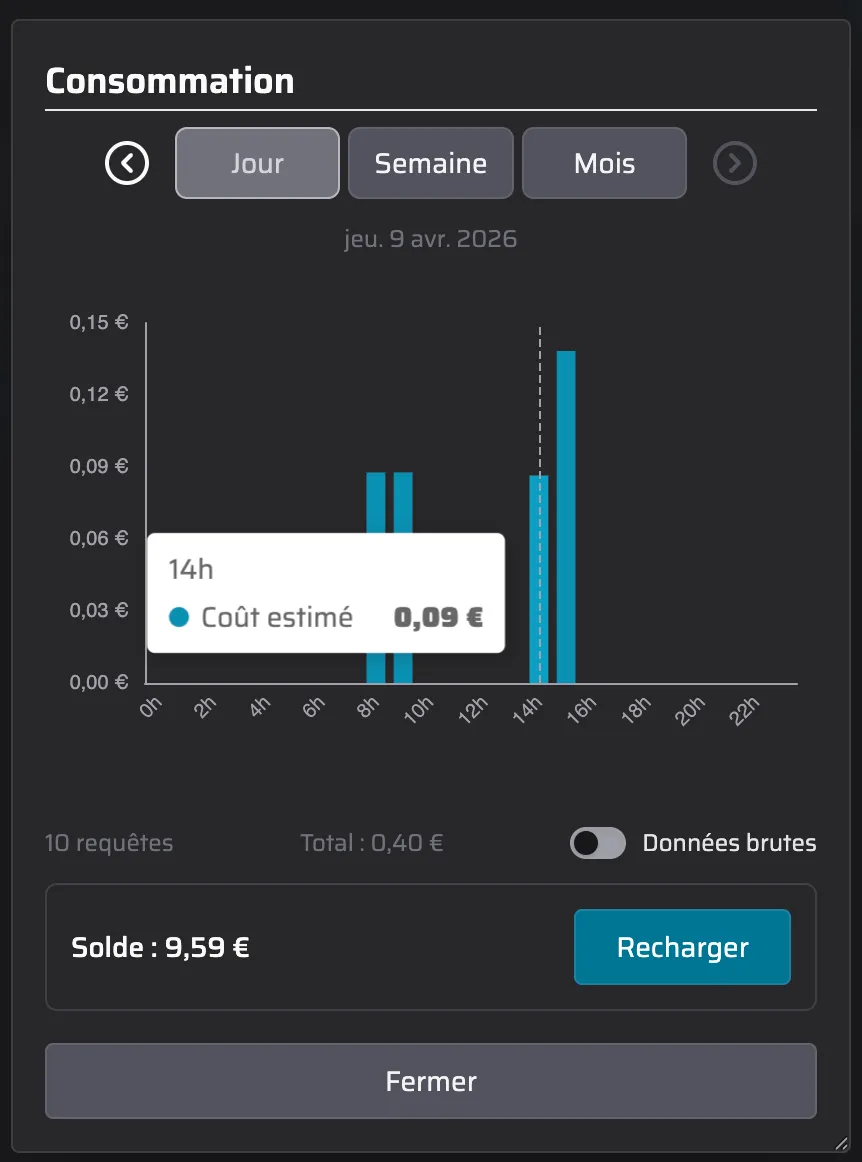
You top up a credit from your settings, and each request is then deducted according to the AI model used. Slek charges only the cost price plus a small margin, which covers things like the extra server load the AI generates, USD to EUR exchange rate movements and the bank fees on top-ups.
Why not offer a new “Premium Plus” plan?
AI providers generally invest billions to offer you subscriptions on which they are currently losing money, in the hope of making a lot of it later. And free models train on the data you give them.
Slek does not have those billions to invest, and takes your personal data too seriously to hand it over without solid safeguards. So we prefer to charge the user.
Why charge by usage? Because it makes people responsible: anyone who uses little pays little. And while AI is a remarkable tool, we cannot ignore that using it, sometimes excessively, raises environmental questions.
From your own AI subscription, via the MCP server
If you already subscribe to an AI tool such as Claude or Mistral, you can connect Slek directly to your preferred AI app through the MCP protocol. The assistant then reaches the same data and the same actions, but your AI subscription covers the cost of the requests.
It is less convenient than the built-in assistant (the confirmation prompts are less readable than in the Slek interface, you have to specify which athlete it should work on, and so on) and it does not carry the same privacy guarantee, but there is no extra cost on the Slek side.
With ChatGPT this is not possible at this stage: they do not allow a simple MCP integration
More articles you might like
Release notes: April 2026
As you know, Slek changes almost daily, so we are not going to write a post every time. We do try to put together a regular summary, though, so you can see the improvements you might have walked straight past. 📆 A calendar that adapts to what you are looking for. If you use Slek on […]
Release notes: July 2026
It has been busy at Slek since June, with two new features that change quite a lot: training squads and a graphical builder for guided workouts. Until now Slek offered individual coaching: one coach, one athlete, complete monitoring. That is perfect for personal support, but far too much for a club that simply wants to send Tuesday night's workout to its members […]
Release notes: June 2026
The last few weeks have been (very) busy at Slek. We are not going to write an article for every change, but here is the round-up of things not to miss since the April notes. And we may as well warn you now: there is one big announcement. 🎉 On the programme: two-way calendar sync with Google, Apple or Outlook, and more […]